FOUNDATION SYSTEM / 01
Chosen on a screen, wrong on your skin?
Ever bought a foundation online on a social media tip, only to find it sat too light or too dark on your face? THE DIAL holds two tones, and a dial sets the ratio so it matches your own skin.
Product concept in development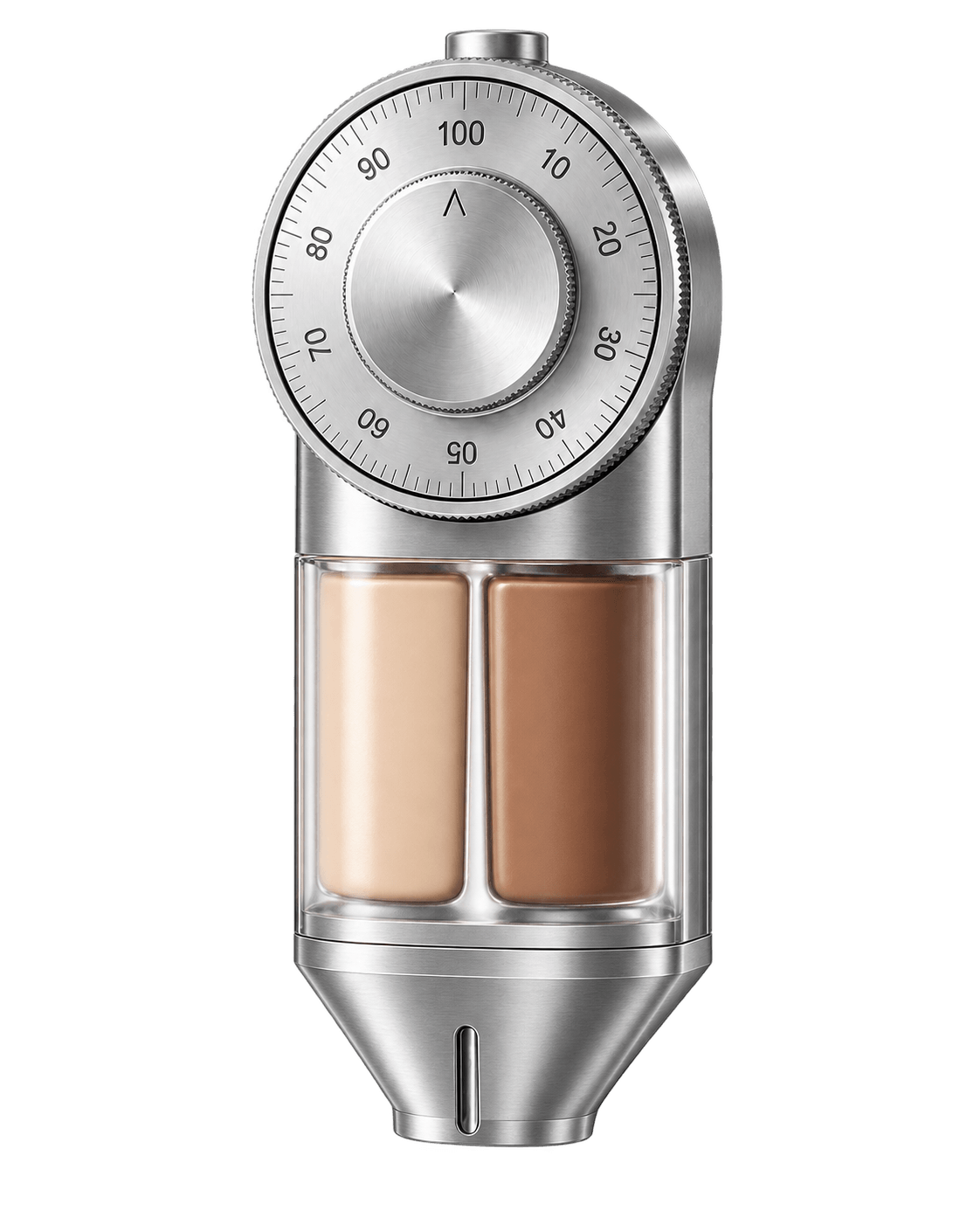
01 / Where the idea begins
Will your first shade fit your skin today?
From uncertainty at your first purchase to changes through the seasons. Find a starting candidate, then adjust through real swatches.
02 / The experience we are exploring
A simple ritual. The final choice is yours.
Find a starting candidate
Planned AI capture checks would offer three ratio candidates with confidence levels.
Compare real swatches
Low confidence calls for another photo. Compare the candidates on your skin.
Adjust it yourself
You make the final adjustment and revisit the setting as your skin changes.
03 / A STUDY IN ADJUSTMENT
Between two tones, explore a starting point.
An on-screen example between a light and a deeper tone. Move the dial to explore the idea of adjustment.
MOVE THE DIAL
Illustrative tone adjustment
SCREEN EXAMPLE 3 / 5 · Middle
You can also adjust the slider with the arrow keys.
Screen colors and five settings are illustrative. They do not represent actual swatches, ratios or final settings.
Explore the planned AI starting point
AI TONE COACH / PLANNED
AI offers a starting point. You decide.
Public datasets are a starting point for research. Real swatches, user adjustments and repeat use would form separate, consent-based product outcome data. The model and performance testing are in preparation.
Explore a starting point in five questions04 / THE PHYSICAL USE CONCEPT
Set at the moment of use, at your fingertips.
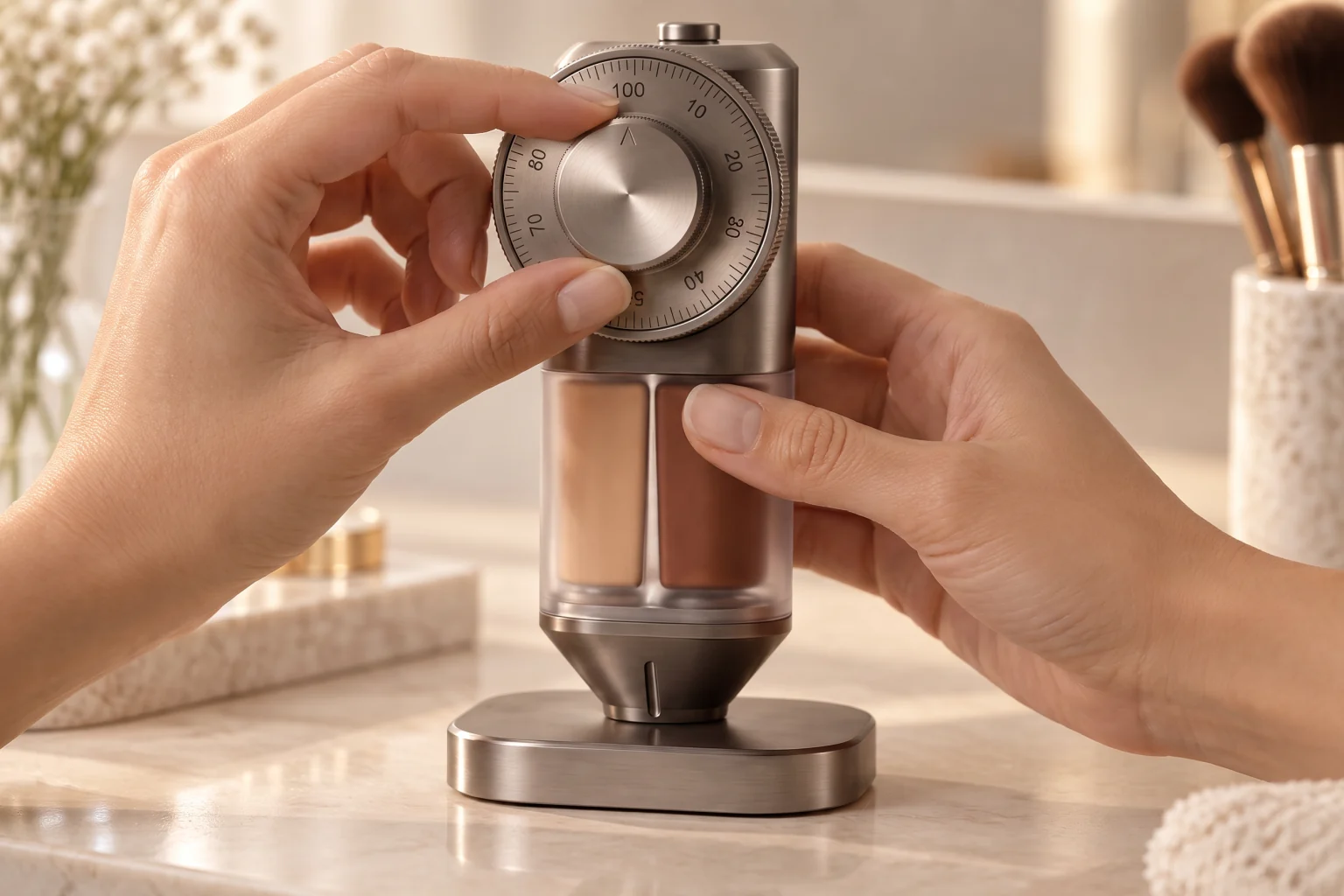
Turn to choose
An experience conceived to choose the ratio between a lighter and a deeper tone with the dial.
Press to collect
Collect a portion at the chosen ratio, then apply.
Check on your skin
Let the actual result guide the next adjustment.
This is a use concept in development. Dispensing, colour, hygiene and formulation compatibility require physical tests.
05 / ON SCREEN FIRST
Before the product, try it on screen.
06 / Development status
What we are exploring now
AI/data and physical adjustment are being developed together. Recommendation quality, dispensing, color results, formulation and skin suitability have not been validated.
FAQ
A few things to know.
How do I choose and adjust the two tones?
THE DIAL holds a lighter tone and a deeper tone together. Turn the dial to choose their ratio, and the product is conceived to dispense at that ratio. The inner structure is not public yet.
How is the outlet kept hygienic?
Keeping the two tones from mixing with each other inside the container is a design goal. Actual hygiene performance will be shared after prototype testing.
How much is left when it runs out?
The structure is being designed so the contents are easy to use to the end. The remaining amount will be measured on prototypes and published.
What if one tone runs out first?
The two tones are held separately, and the concept is to replace only the one that runs out.
Will it suit my skin tone?
The pairing and range of the two tones are not final. FIT FINDER lets you explore a starting value on screen first.
When can I buy it, and for how much?
Launch timing and pricing are not decided. Request a launch alert in the product interest survey to receive the news by email.
PRODUCT INTEREST SURVEY
Tell us which product you want to try.
Pick the one that interests you among the three products in development. No account or contact details needed.